
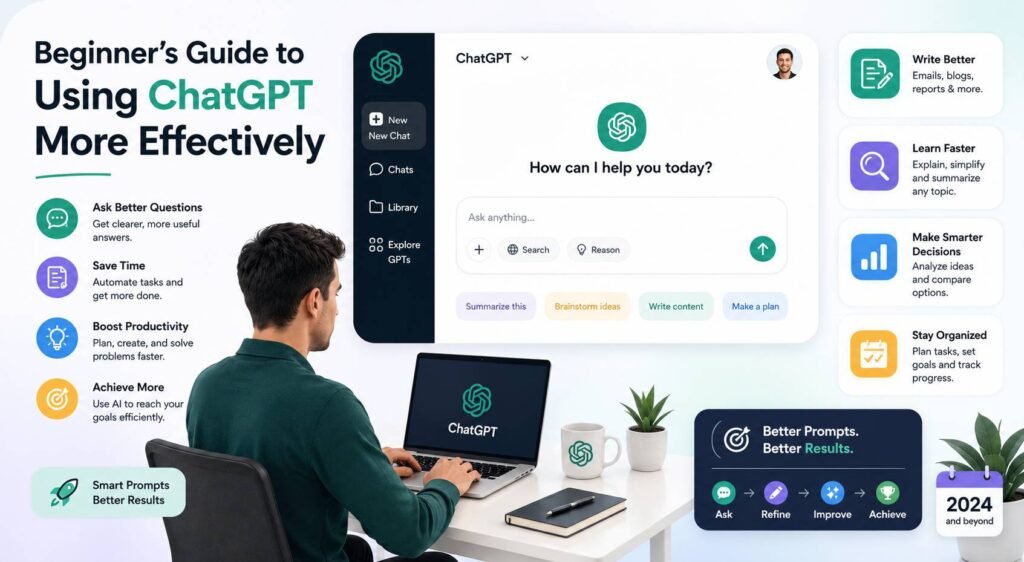

If you have heard everyone at work talking about ChatGPT but still feel a step behind, you are not alone, and you are not late. ChatGPT has become part of everyday American life, with roughly 34% of US adults saying they have used it, a number that jumps to 58% for people under 30.
The good news is that getting started is easier than it looks. This guide to using ChatGPT walks you through everything a beginner needs, from your first login to the habits that turn a fun toy into a tool that saves you real time every week.
No jargon, no hype. Just a clear, friendly path from “I have never really used this” to “I use this every day and it actually helps.” Read it start to finish, or jump to the section you need.
What Is ChatGPT, and Why Everyone Is Using It
ChatGPT is a chatbot you talk to in plain English. You type a question or a request, and it writes back an answer, a draft, a plan, or an explanation. Think of it as a smart assistant that can write, summarize, brainstorm, explain, and organize, available any time you want it. At BrandingX, we’ve seen more professionals, students, and business owners use ChatGPT to save time, improve productivity, and simplify everyday tasks.
What makes 2026 different is how good and how flexible it has become. It can read files you upload, see images, search the web for current information, and even talk with you out loud. For a beginner, that means one tool can quietly handle a long list of small tasks that used to eat up your day.
Getting Started: Your First Steps
This part of the guide to using ChatGPT covers the setup. Spend ten minutes here and everything after gets easier.
Create your account
Go to the ChatGPT website or download the app, then sign up with an email or a Google or Apple account. That is it. You can start typing within a minute.
Free or paid?
The free version is plenty for trying things out and handles most everyday tasks. The paid plan adds the newest and smartest model, faster replies, bigger file uploads, and extra tools like image creation and deeper data analysis. If you find yourself reaching for it most days, the upgrade usually pays for itself in saved time within the first week.
Pick the right model when you can
On the paid plan you can choose between models. As a beginner, the simple rule is this. Use the default smart model for most work, and switch to a faster model only when you want quick, simple answers. You do not need to overthink it.
Related: How Luxury Beauty Brands Are Experimenting with AI Models
Set It Up So It Knows You
Most beginners skip this and wonder why their answers feel generic. Two settings fix that.
Custom instructions
In Settings you can tell ChatGPT who you are and how you like answers. A few lines here shape every future reply, so you stop repeating yourself.
Example: I am a small business owner in Austin who runs a coffee shop. I write for a US audience. Keep answers short and practical, and give me real examples instead of general advice.
Memory
Memory lets ChatGPT remember details across conversations, like your job, your projects, or your writing style. Once it knows the basics, you waste far less time on context. You can review or clear what it remembers whenever you want, which matters for privacy.
The One Skill That Changes Everything: Better Prompts
A prompt is just what you type. The single biggest reason beginners get weak answers is weak prompts. A strong prompt gives ChatGPT four things: a role, the background, the task, and the format you want.
Weak: Write a post about my bakery.
Strong: Act as a friendly social media writer. I run a small bakery in Phoenix known for sourdough. Write three short Instagram captions for a new cinnamon roll, each under 40 words, warm and casual, with one clear call to action to visit this weekend.
The strong version gives you something you can almost post as is. Learn this one habit and the rest of this guide to using ChatGPT becomes second nature.
Easy Ways for Beginners to Use ChatGPT
OpenAI studied how people actually use it and found that most activity falls into a few simple buckets like writing, getting practical guidance, and looking up information. In other words, the best uses are the ordinary ones. Here is where to start.
- Email and messages. Paste a message you got and ask for three replies in different tones. A real estate agent can clear a packed inbox in half the time by editing drafts instead of writing each one.
- Writing and editing. Hand over your rough notes and let it shape them, then you polish. Try “make this shorter and friendlier” on any clunky paragraph.
- Planning your day. Dump every task on your mind into the chat and ask it to group them, flag your top three, and build a realistic schedule.
- Explaining things. Ask it to explain a confusing topic in plain English with one everyday example. A nurse studying for a certification can turn dense material into a simple study sheet.
- Summarizing. Paste a long email, article, or document and ask for the key points and any action items.
- Brainstorming. Ask for twenty ideas, then narrow to the best five. Great for gift lists, blog topics, or marketing angles.
You May Like: 25 Practical Ways to Use ChatGPT at Work and Save Time
Your First Real Session, Step by Step
Want a quick win right now? Try this.
- Open ChatGPT and add a quick line about yourself in custom instructions.
- Pick one task you do every week, like writing a weekly update or replying to a customer.
- Write a prompt using the role, context, task, and format structure above.
- Read the answer, then improve it. Say “make it more casual,” “cut it in half,” or “add a friendly closing line.”
- Copy your favorite version and use it.
That back and forth is the whole secret. The first answer is a draft, not a final product.
Features Beginners Should Know About
You do not need all of these on day one, but they are worth knowing as you grow more comfortable.
- Voice mode. Talk to it hands free while you drive or cook. You speak, it answers, and you capture ideas you would otherwise lose.
- File uploads. Drop in a PDF or spreadsheet and ask questions about it. Summarize a contract or pull the numbers out of a report.
- Web search. Ask it to look up current information when you need today’s facts, not last year’s.
- Image creation. Describe a picture and it makes one, handy for social posts or simple visuals.
- Projects. Keep all the chats and files for one goal in a single tidy space, perfect for a class, a client, or a side hustle.
Also Read: Top 5 AI Facebook Post Generators to Streamline Your Social Media Strategy
Common Beginner Mistakes to Avoid
A few simple fixes will save you a lot of frustration.
- Being too vague. “Help me with marketing” gets you nothing useful. Be specific about the goal, the audience, and the format.
- Accepting the first draft. The magic is in the second and third pass.
- Asking for everything at once. Break big jobs into steps. Outline first, then write each part.
- Forgetting context. It cannot read your mind or see your screen. Tell it what it needs to know.
- Trusting every fact. More on that next.
Does It Actually Make You More Effective?
Yes, when you use it well. A widely cited MIT study found that people using ChatGPT for common writing tasks finished 40% faster, and the quality of their work actually rose by 18%. The people who see those gains are the ones who use it regularly and treat it as a partner that drafts and organizes, while they stay in charge of the final result.
Two Safety Habits Every Beginner Needs
Check the facts. ChatGPT can sound completely sure of itself and still be wrong. It may invent numbers, sources, or dates. Use it to draft and organize, then verify any fact, figure, or claim before you rely on it. This is the most important line in the whole guide to using ChatGPT.
Guard your privacy. Do not paste passwords, Social Security numbers, financial details, or confidential work data unless you are on a protected business plan. You can also turn off chat history if you prefer your conversations not be used to improve the model.
Build a Simple Daily Habit
The beginners who get the most out of ChatGPT are not the ones with clever tricks. They are the ones who use it consistently. Try this for one week.
- Morning: Paste your task list and let it build a focused plan.
- Midday: Hand off the writing and emails you have been putting off.
- End of day: Have it summarize your notes and tee up tomorrow’s first email.
Keep a note of the prompts that work well for you. Within a couple of weeks you will have a personal library that turns repeat tasks into quick wins.
Frequently Asked Questions
Is ChatGPT free to use?
Yes, there is a capable free version. The paid plan adds the newest model, faster replies, larger uploads, and extra tools, which is worth it if you use it most days.
How do I start using ChatGPT as a complete beginner?
Create an account, add a line about yourself in custom instructions, then practice the role, context, task, and format prompt structure on one real task you do every week. That covers most of this guide to using ChatGPT.
Can I trust the answers ChatGPT gives me?
Trust it for drafts, structure, and ideas, but verify facts, figures, and sources yourself. It can be confidently wrong.
What should I never share with ChatGPT?
Avoid passwords, financial account numbers, Social Security numbers, and confidential company data unless you are on a secure business plan.
What is the easiest first task to try?
Drafting or rewriting an email. Paste a message, ask for a friendly reply under 100 words, and edit it to taste. It is a fast, low risk win.
Final Thoughts
You do not need to master everything at once. The whole point of this beginner’s guide to using ChatGPT is to get you one solid win today, then build from there. Set it up so it knows you, write clear prompts, treat the first answer as a draft, check your facts, and keep your private information private. Do that, and ChatGPT stops being something everyone else talks about and becomes a tool that quietly gives you time back. Pick one idea from this guide and try it before the day is out. That first win is all the proof you will need.